



Bitte um Geduld.
Die Webseite ist beschäftigt.

The Telematics Portal
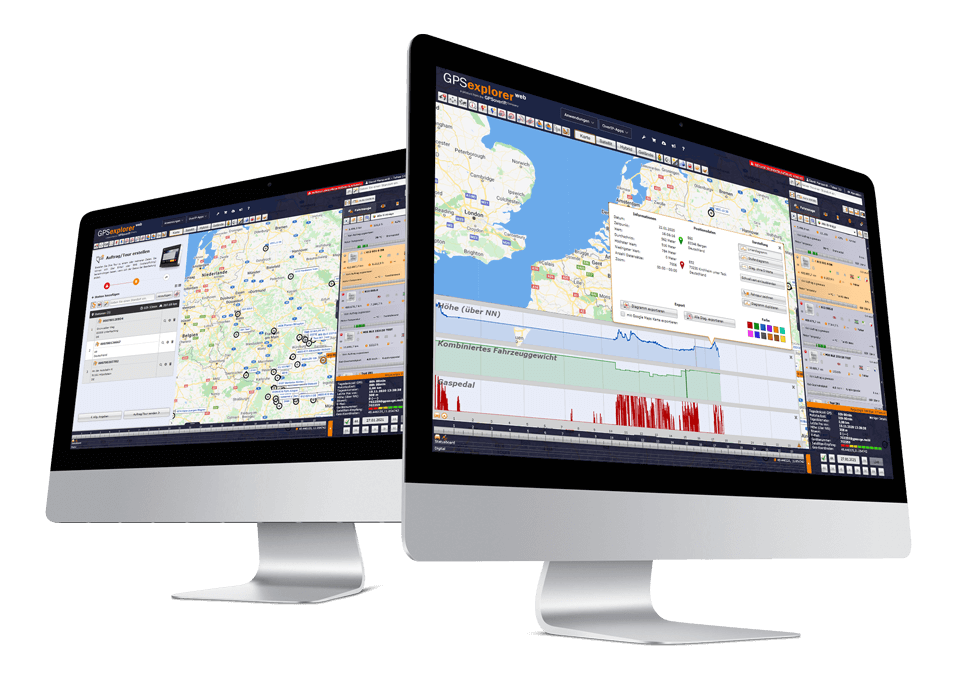
The GPS Explorer (browser-based web portal) is included with every GPSaugen (telematics unit). It is a powerful application for managing fleets of any size. Whether you need to manage just one vehicle or thousands:
It not only gives users an overview of their fleet but also includes a whole range of tools that make day-to-day work easier. Thanks to its intuitive design, it’s surprisingly easy to use. The GPS Explorer is available to users as a web version as well as in versions for mobile devices. This allows users to manage their fleet from anywhere in the world. The user interface is virtually identical across all versions. Thanks to its multi-user capability, you can access it from any number of workstations and, if desired, assign different permission levels. GPS-Explorer is continuously upgraded and expanded. Customer feedback and the latest industry requirements are incorporated into the development process. As a result, users always work with software that is state-of-the-art in every respect.
As a SaaS model, GPS Explorer users do not need to set up their own IT infrastructure (hardware, operating system, database, etc.). All IT administration and other services, such as maintenance and updates, are handled automatically. All you need to use the software is an internet connection. You can access GPS Explorer via a web browser. You can also find more information about GPS Explorer in numerous video tutorials that provide detailed explanations.
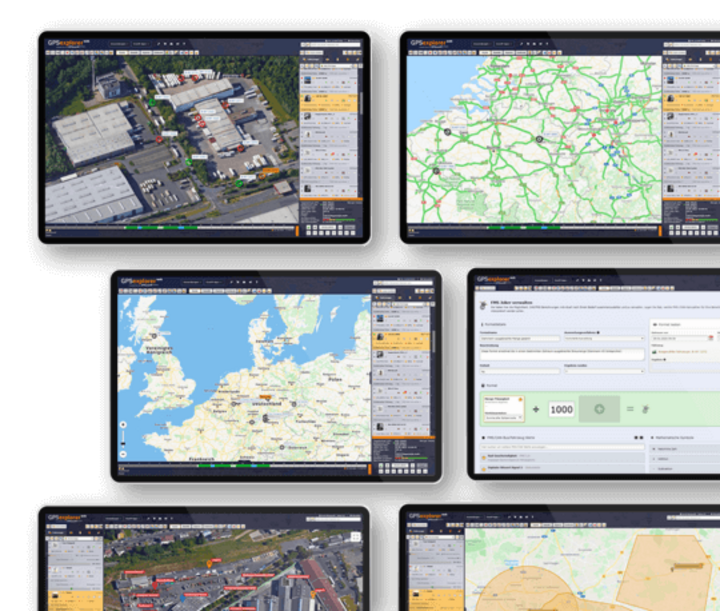
Map Features
-
Vehicle Overview
-
Vehicle Overview
Everything at a glance!
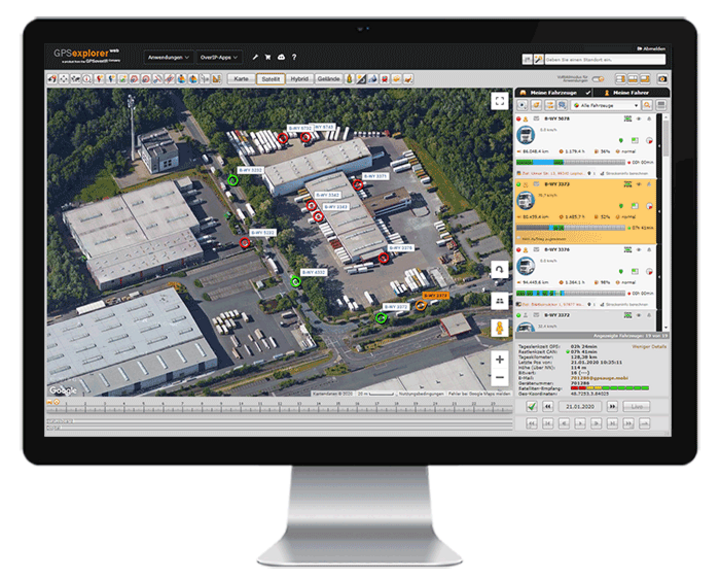
The vehicle overview in GPS Explorer (a browser-based web portal) provides a quick and easy overview of and access to your vehicles and their operational and status data.
By simply scrolling or filtering, you can “browse” through your entire fleet.
Without having to delve deeper into the fleet management system’s menu, the user can see information at a glance—such as vehicle operating statuses, driver names and remaining driving times, speeds, status information on jobs, or even available/occupied status—all thanks to the multi-vehicle display. Content can be shown or hidden in stages as desired.
-
Lane/Lane Editor
-
Lane/Lane Editor
Let’s take a look at how it went yesterday… go over it again
. With
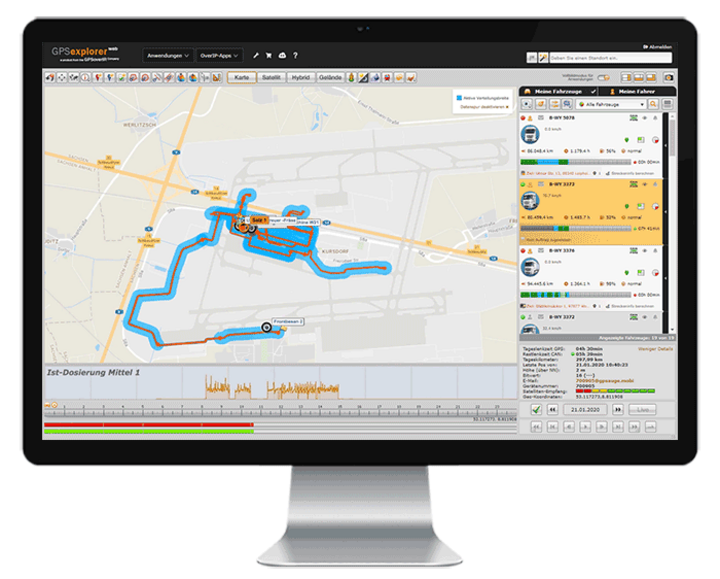
the route function in GPS Explorer (a browser-based web portal), the route you drove is displayed in tabular and visual form—complete with all details—with just one click. By selecting additional data in the route editor (such as loaded/unloaded, accelerator pedal position, auxiliary drive, speed, working widths of special attachments, etc.), you can customize the display to meet your specific needs.A replay function allows you to visualize the entire driving situation for the selected time window, including selected additional values. You can compare and analyze driving paths from different vehicles to, for example, optimize a route or visually display areas that have been worked on (keywords: winter road maintenance, agriculture, street sweeper, etc.).
-
Geofencing / Theft Protection / Alarm Function (Circle, Polygon, Corridor, Barrier)
-
Geofencing / Theft Protection / Alarm Function (Circle, Polygon, Corridor, Barrier)
Stop!! Don't take another step!
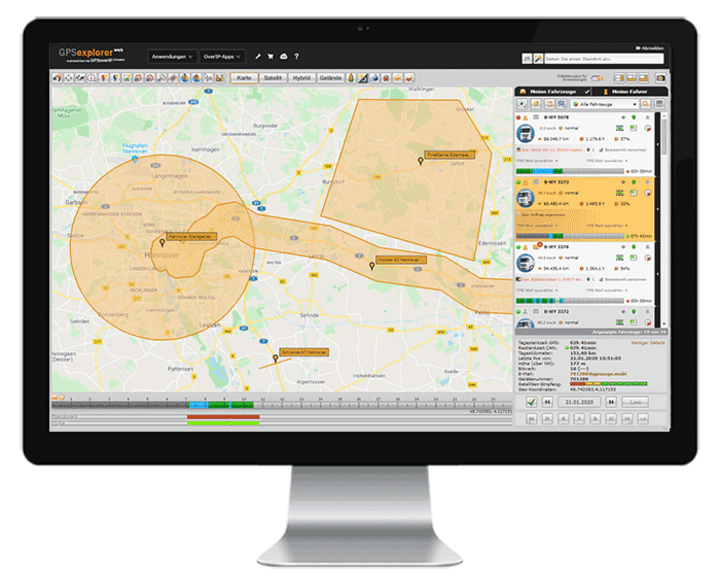
In GPS Explorer (a browser-based web portal), you can define when a vehicle enters or exits a custom-defined area (circle, polygon, corridor, barrier). This helps you, on the one hand, to quickly and easily receive or document notifications—for example, when entering or exiting a corridor—whether on your cell phone, via email, on the map, in the app, or in a tabular record.
The geofencing feature also supports premium theft protection, which includes automatic activation mechanisms. With the additional rule manager, optional supplementary values (auxiliary drive active, door open, engine off, etc.) can be time-stamped, logged, evaluated, or triggered, and thus serve, for example, as the basis for subsequent invoicing.
When logging the geofencing function, the column editor allows you to assign or link additional values, such as a cost center, current mileage, etc.
-
Geozone Analysis
-
Geozone Analysis
Through Time and Space – Back to the Future
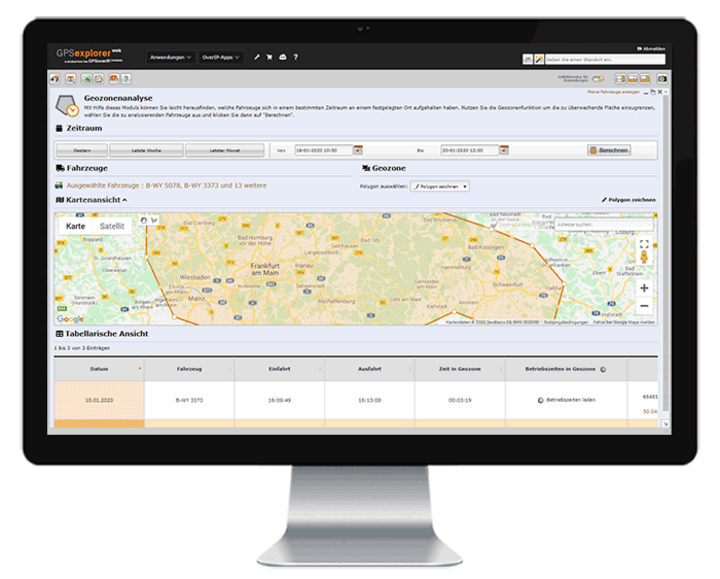
With the Geozone Analysis module, you can easily find out which vehicles were at a specific location at a specific time. Select a location and time, and the system will tell you which of your vehicles were there.
It provides information on the time, speed, and any operational status of the vehicles.
-
Geozone Analysis
-
Lane Analysis in Geozone
All route details at a glance
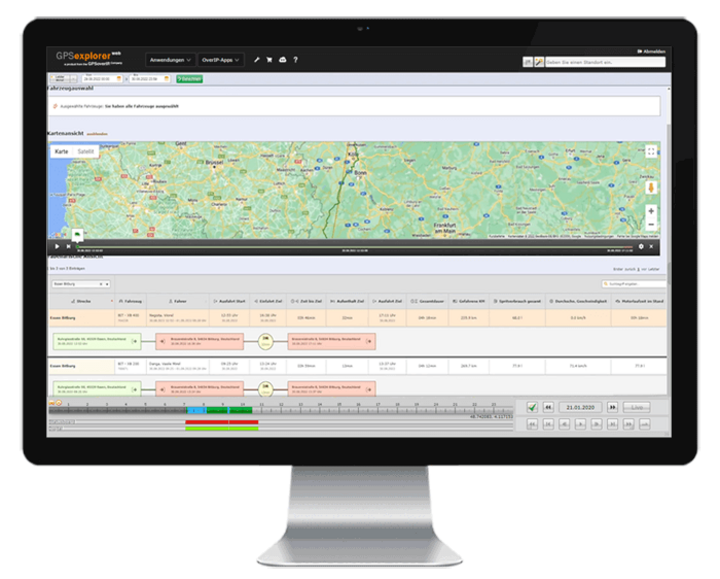
This feature allows you to analyze driving routes within a specified area in order to, for example, monitor related fuel consumption, distance traveled, or travel times, and to optimize both time and costs.
-
Marker/TAG Function
-
Marker/TAG Function
Find the needle(s) in the haystack!
With the marker/TAG function, the locations and movements of objects such as containers, trailers, semi-trailers, attachments, and many more can be managed—automatically via TAG if desired. The dispatcher can view these on the map as well as in tabular list form.
When used manually, the driver simply selects an option to notify headquarters that an object has been parked or picked up. At the same time, the updated position data for the relevant object is transmitted to all other GPSaugen devices within the user network. This way, drivers know where each object is located without having to check with headquarters.
The process can be automated through the use of Bluetooth tags. These tags are attached to the objects. The GPS device installed in the vehicle detects the object as it approaches and automatically updates the “picked up” or “dropped off” status without any action required from the driver.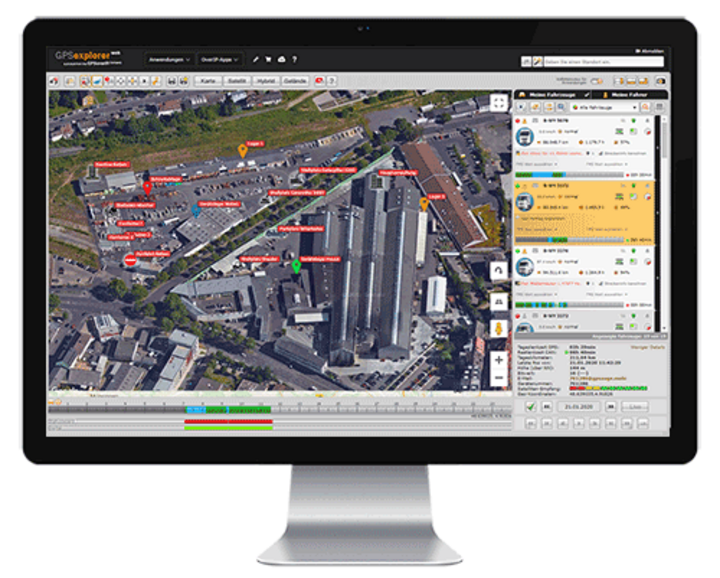
-
Real-Time Traffic Information
-
Real-Time Traffic Information
It wasn't quite what I had planned… because things often come up.
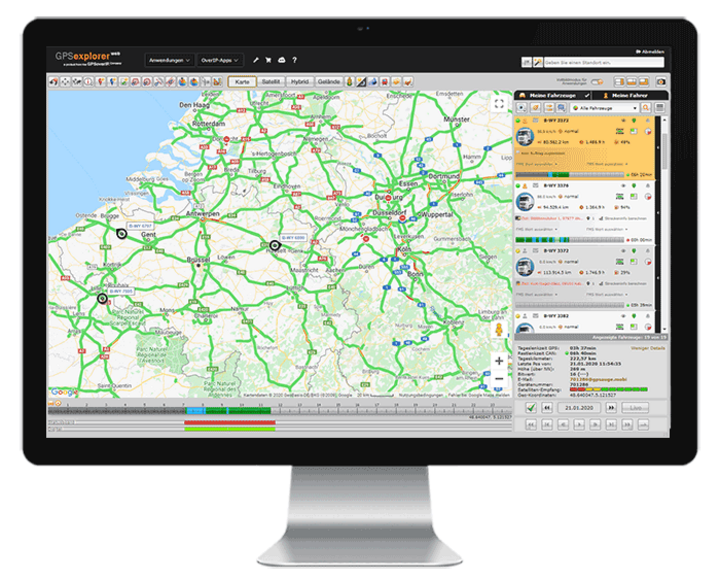
By integrating traffic services into GPS-Explorer (a browser-based web portal), users have access to the most accurate information on current traffic conditions.
This makes it even easier to plan routes. In the event of a traffic jam or a temporary road closure, the dispatcher can react quickly.
-
Next Search
-
Next Search
Next to Me
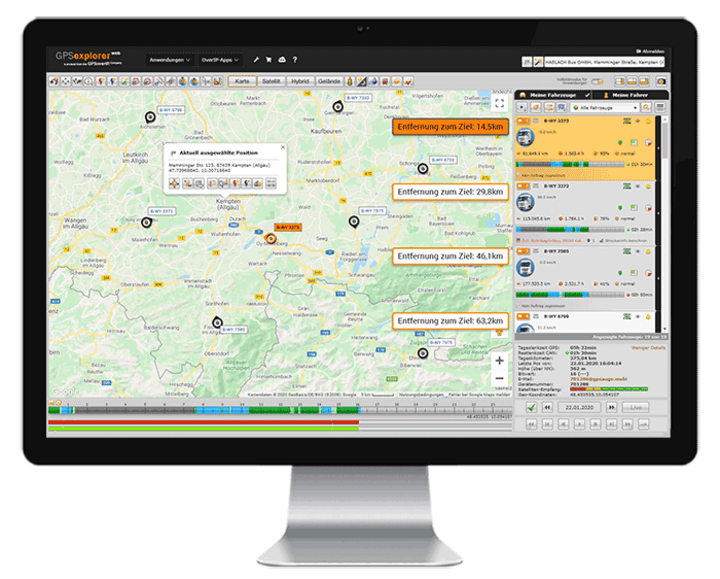
When a user enters a destination address, the system displays the nearest vehicles in ascending order. Status updates (e.g., empty/loaded) are also transmitted and can be taken into account upon request.
The “Nearest Search” feature is an extremely helpful tool for dispatch. It makes it very easy to assign jobs or routes to the most suitable vehicle.
Statistics
-
Logbook/Operational Reports
-
Logbook/Operational Reports
One click covers an entire year—and you're done!
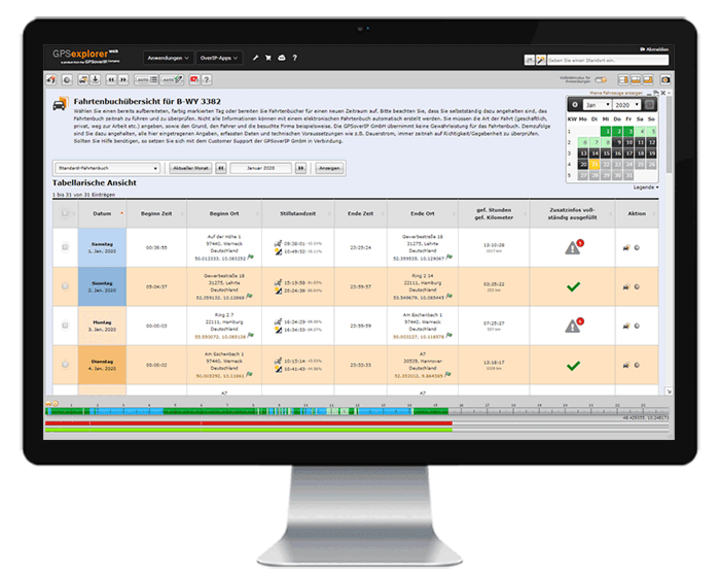
The GPS Explorer (browser-based web portal) provides users with a detailed logbook, as well as numerous weekly and daily activity reports.
Thanks to the integrated AI learning feature in the logbook, you’ll save days and weeks of processing time, as the need for manual data entry gradually decreases. The GPS Explorer handles this automatically. Thanks to this unique feature, a logbook for an entire year, for example, can be fully generated in just a few minutes.
In addition to time and location, other vehicle metrics (such as engine runtime, fuel level, door open/door closed, etc.) can also be displayed in the logbook. This allows you to expand your logbook accordingly to document these metrics directly at each location.
With its GPS-based, gap-free recording, it goes without saying that the GPSoverIP electronic logbook is legally compliant and therefore recognized by the tax authorities.
-
FMS/CAN Statistics/Driving Style Analysis
-
FMS/CAN Statistics/Driving Style Analysis
The Economic Click—or Can It Get Any Better?
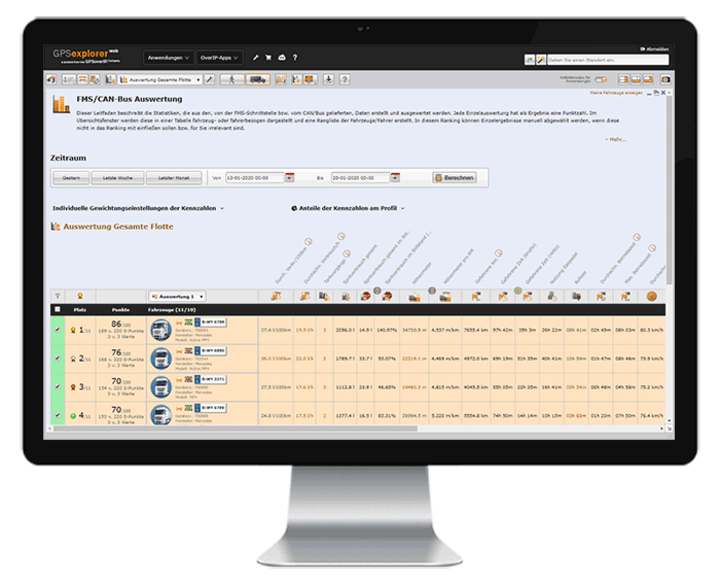
The GPS Explorer (a browser-based web portal) features a powerful and customizable module for displaying and analyzing the telemetry data transmitted via the GPSauge. With the push of a button, values such as fuel consumption data, operating times, mileage, RPM, speed, PTO usage, rolling times, and much more are displayed for any selected time period.
In addition, drivers’ driving behavior can be assessed at a glance. Users can create and manage rankings tailored to their own criteria. Users can freely define which telemetry metrics are relevant for the ranking and how they should be evaluated. Each individual evaluation results in a score. In the overview window, these results are displayed both in a table and graphically—organized by vehicle or driver—and a ranking of vehicles/drivers is generated. If desired, this ranking can be transmitted directly to the vehicle at the push of a button or displayed with the appropriate authorization.
-
Expense Report
-
Expense Report
Those small expenses take care of themselves...
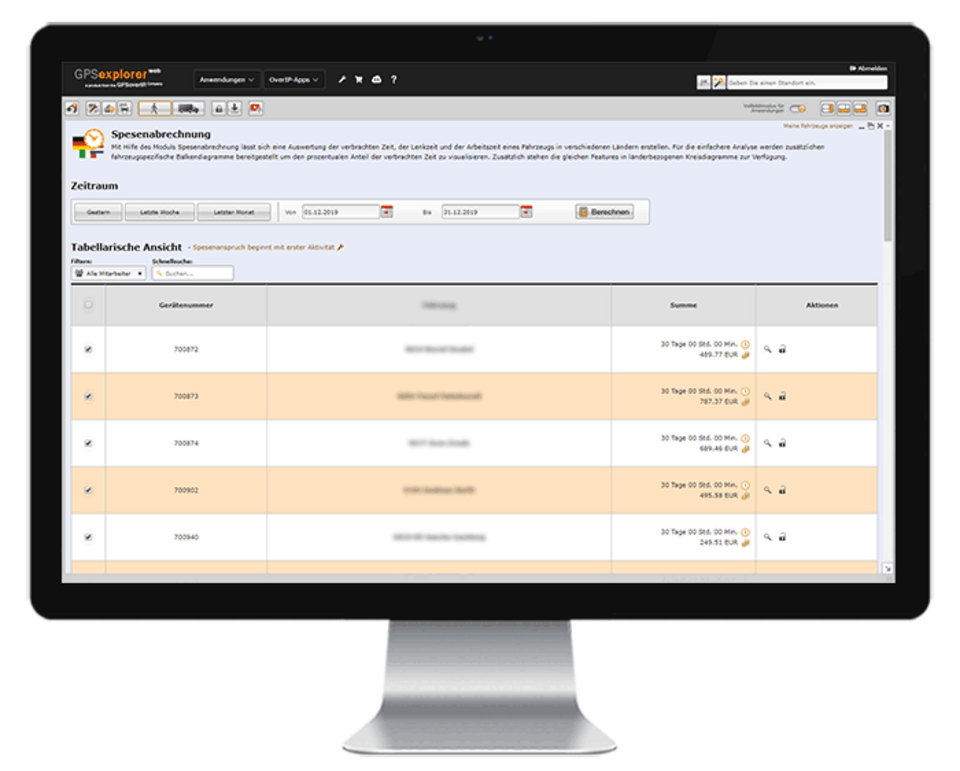
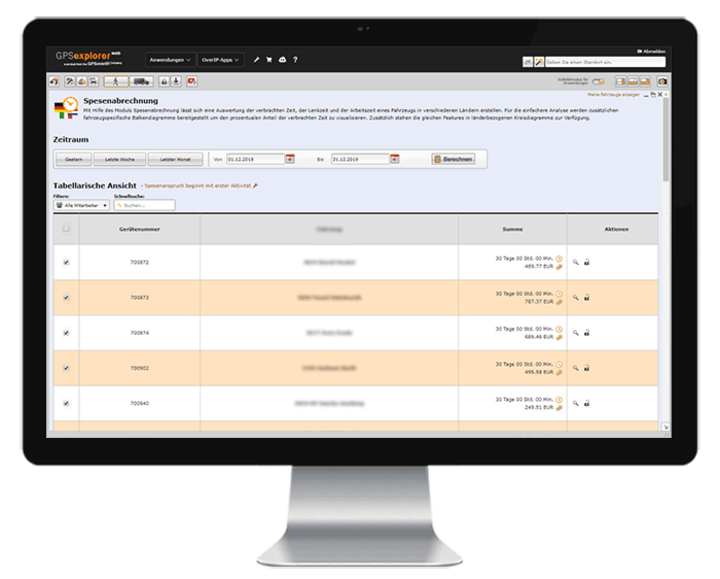
The Expense Report module saves users a lot of time. This feature enables users to handle the time-consuming administrative tasks involved in determining and processing meal allowances with the push of a button, without any further action required. All that’s needed is to enter the master data once. The national and international expense rates prescribed by law are already stored in the system.
Of course, company-specific adjustments—such as holiday and night shift premiums, etc.—can be configured or modified as needed.

-
Joker
-
Joker
The ace up your sleeve…
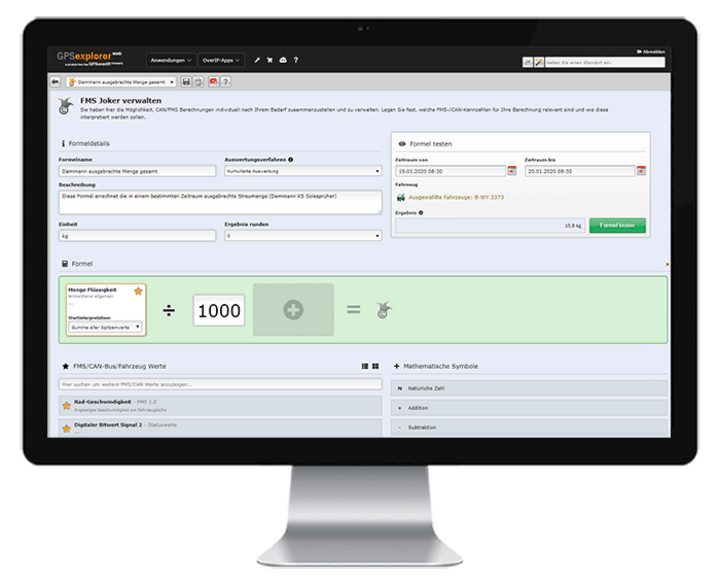
The “Joker” feature in GPS Explorer (a browser-based web portal) uses the recorded telemetry data to calculate any value you need (e.g., the conversion factor from spray width to application rate). Using predefined calculation formulas, you can quickly and easily perform additional value calculations or conversions—in addition to your existing values.
The newly calculated value can then be included as a “Joker” field in tabular and visual reports and statistics.
-
Report Configuration Tool
-
Report Configuration Tool
I imagine the world the way I like it...
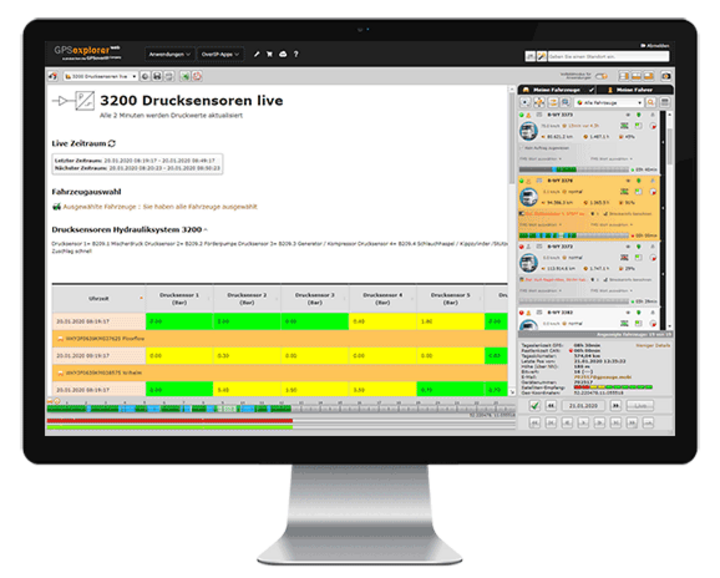
In the GPS Explorer (browser-based web portal), you can easily create custom reports yourself. Design analyses in your C.I. and add the necessary elements—such as tables, charts, vehicle information, indicators, and maps—to your calculations, tailored to your company’s specific needs and requirements.
Examine situations with pinpoint accuracy and without restrictions, tailored to your needs—daily, weekly, monthly, or at custom time intervals—even down to the second!
If desired, you can also share the custom report with third parties via a web-based authorization system.
-
Data Export
-
Data Export
Data Recycling – Hocus-pocus … and now you're a PDF
You can export the data collected by GPSoverIP / DATAoverIP / CANoverIP (GPS Explorer protocols) to various file formats, such as PDF, CSV, or Excel.
The GPS Explorer (browser-based web portal) includes a dedicated export tool.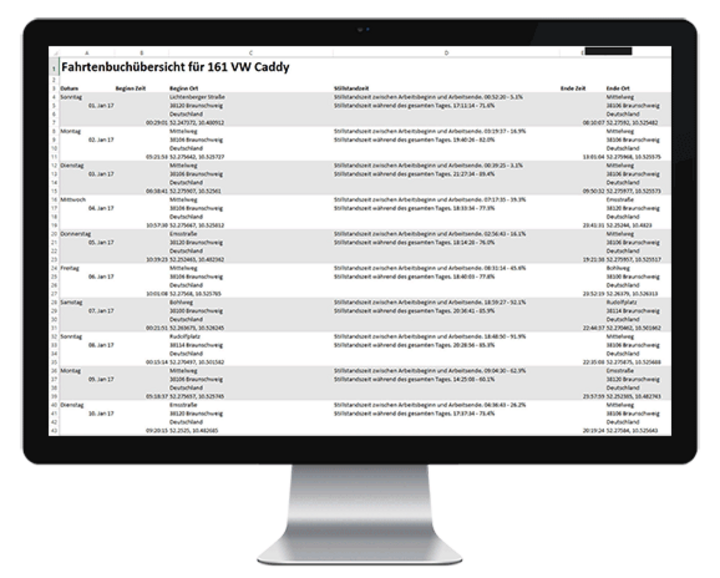
Administration
-
Order/Route Management
-
Order/Route Management
Good planning is half the battle!
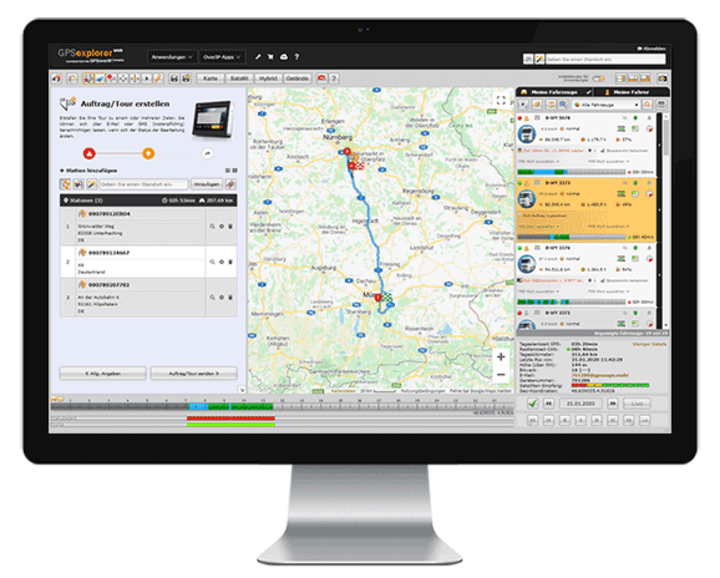
With order/route management, orders—even complex routes—can be quickly and easily created by dispatch and transmitted to a GPSauge. The user is always kept informed of the current status. They receive information about the current processing status, including timestamps and any additional information that has been transmitted.
This enables precise evaluation and billing of orders and routes. If needed, planned routes can be compared with actual driving distances. Additionally, there is an order- and route-specific telemetry analysis for accurate cost reconciliation.
-
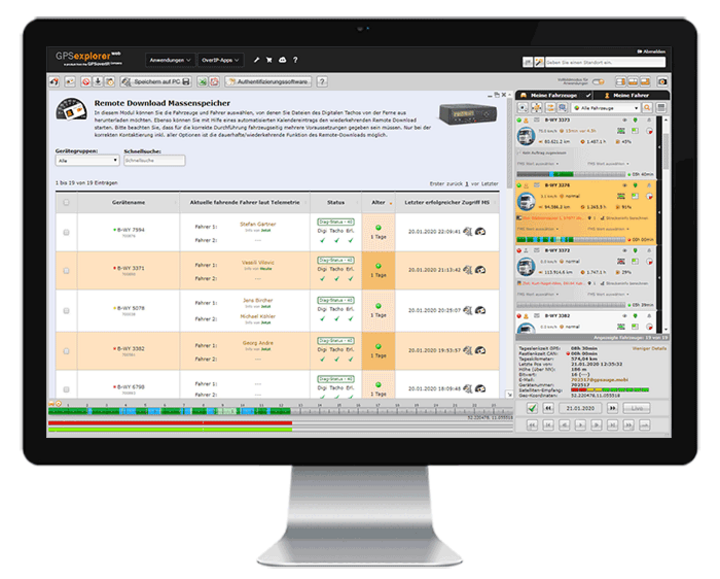
Remote Download – Digital Speedometer
-
Remote Download – Digital Speedometer
That needs to be read out, too…
Whether it’s downloading the driver card or mass storage device, or determining the remaining driving time in real time—the GPS Explorer displays the current times on the screen and handles legally compliant archiving fully automatically via its integrated calendar function.
-
Group Functions
-
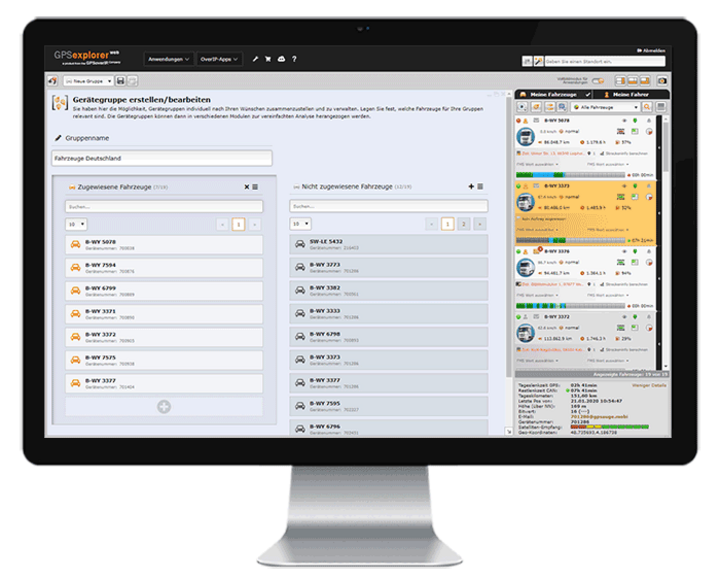
Group Functions
I'll say this just once… and save time!
In addition to displaying your entire fleet, you can create as many groups as you like for a wide variety of applications in GPS-Explorer (a browser-based web portal) to speed up access. This feature is especially helpful if you want to clearly manage a large number of vehicles or fleets with different areas of operation.
In this case, the group feature provides a better overview. To make a clear distinction, you can also assign group-specific icons and colors to the vehicles.
-
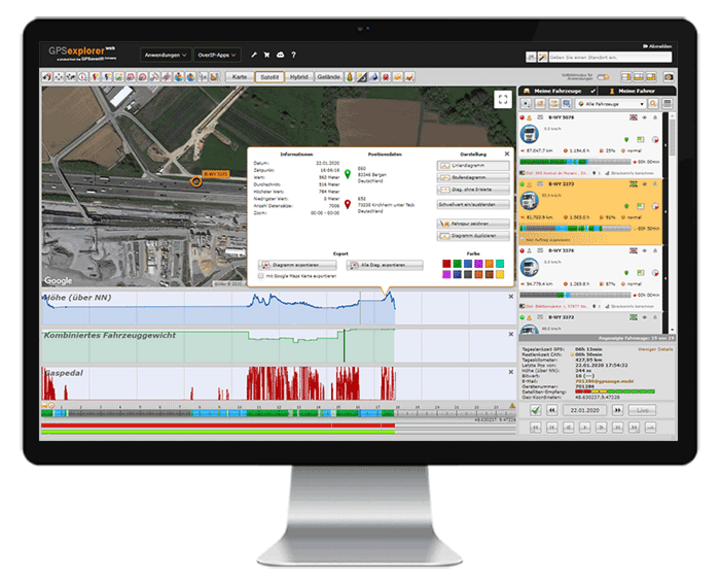
Live tracking, real-time data transmission
-
Live tracking, real-time data transmission
Life is live
The tracking and data transmission enabled by the GPSauge are in real time. This means that the user at the computer has access to all information the moment an event occurs. This includes data such as position and speed, load status, vehicle telemetry data, driving times, as well as information from signal sources such as taximeters, temperature sensors, and special equipment—such as winter service vehicles—and much more.
-
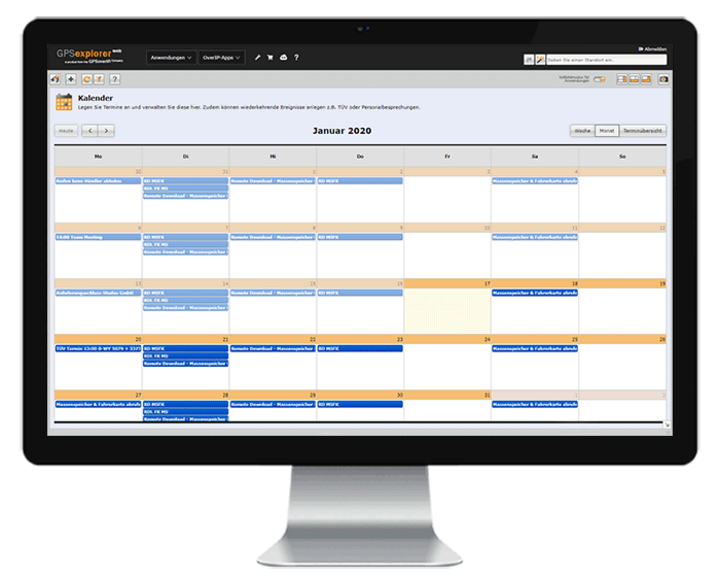
Calendar
-
Calendar
I'll keep that in mind...
Manage all vehicle- and employee-specific appointments and tasks quickly and clearly using the calendar feature, and have yourself and authorized users automatically notified. You can also use this module to control recurring system functions, such as the automatic reading of driver cards and tachographs.
-
Manipulation
-
Manipulation
Not with us!
The GPS Explorer (browser-based web portal) provides information on both the quality and signal strength of the GPS receiver, as well as the status of the power supply.
This ensures that dispatch is notified in the event of an attempted tampering.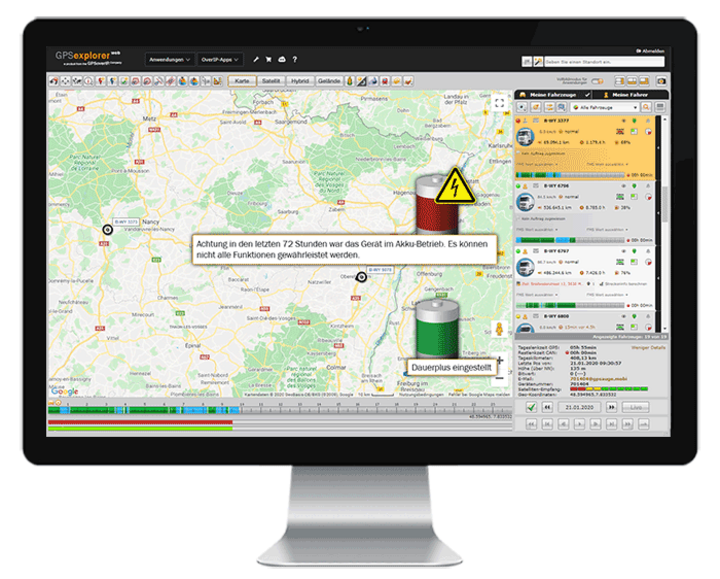
-
Status Indication / Additional Signal Transmission / FMS, CAN, MVB, ISO-Bus, RS-232, Analog/Digital Signals/Connections
-
Status Indication / Additional Signal Transmission / FMS, CAN, MVB, ISO-Bus, RS-232, Analog/Digital Signals/Connections
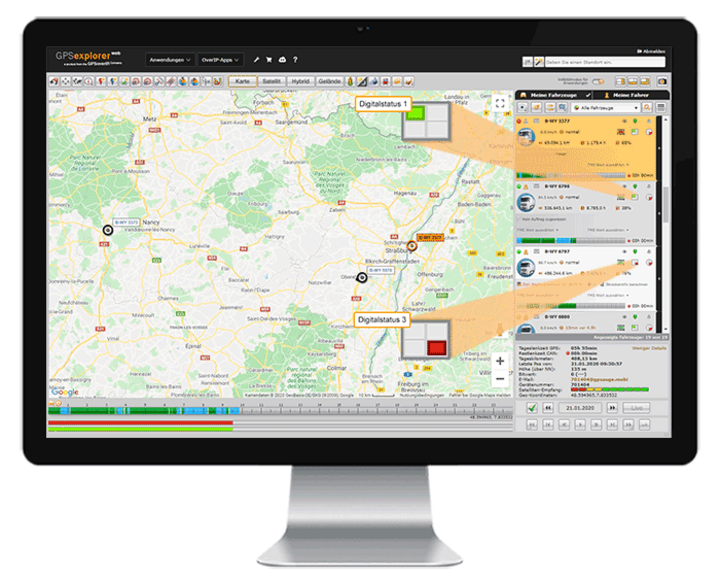
There's MORE here! Check out all the options...
In addition to data transmission from wired sources such as FMS, CAN, MVB, ISO-Bus, RS232, and analog/digital signals/connections, users can also retrieve information from wireless signal sources such as BLE and NFC, and view and analyze the data in the GPS Explorer (a browser-based web portal).
Communication
-
Communication Options
-
Communication Options
We'll stay in touch...
The GPS Explorer (browser-based web portal) and the GPSauge offer several communication options, allowing you to quickly communicate with your drivers—whether via DATAoverIP (direct communication from the GPS Explorer), email, or text message.
The built-in translator provides translations into numerous languages.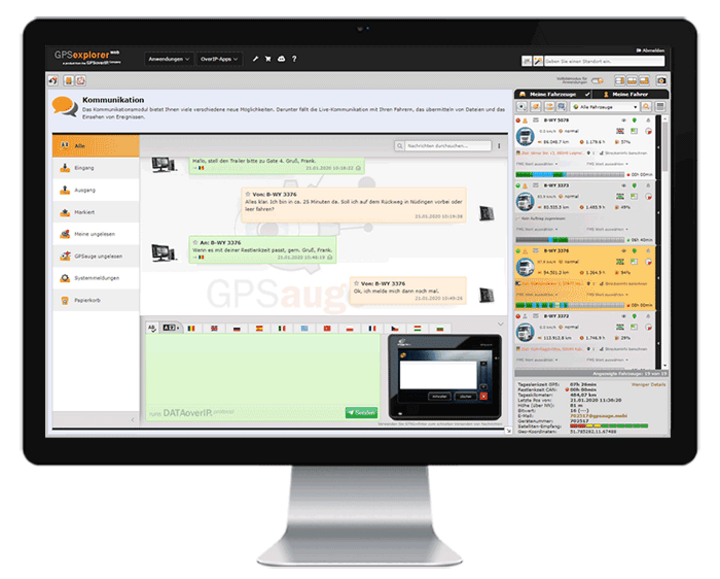
-
Multilingual
-
Multilingual
... in both spoken and written form ...
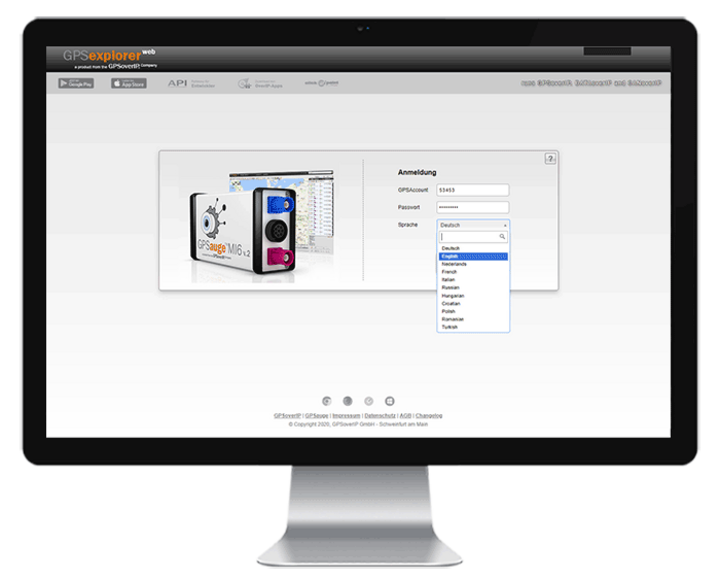
The GPS Explorer (browser-based web portal) and its numerous features are available in various languages. Users can select their preferred language from a drop-down menu.
-
Release / Shipment Tracking / Track & Trace
-
Release / Shipment Tracking / Track & Trace
No need to hide…show yourself!
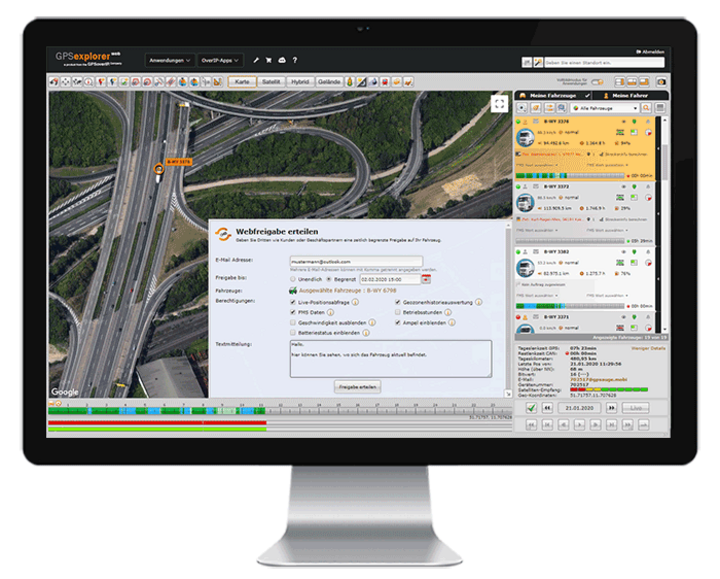
With the “Sharing” feature, users can grant their customers or business partners live access to one or more vehicles. Sharing can be initiated from various processes, extend over any time period, and be granted with different levels of information and access rights.
From manual sharing via email with a customizable time window or automatic sharing triggered by specific events (e.g., the start or end of a job) to the temporary or permanent setup of sharing permissions in additional accounts, the possibilities are extensive. All of this reduces the workload on the scheduling department, ensures greater transparency for customers, and facilitates collaboration with subcontractors.
-
etc.
-
etc.
... all that and much more! ...
Every day, we create something new that brings you lasting benefits.
Contact us. We’d be happy to show you what else GPSoverIP’s solutions can do.
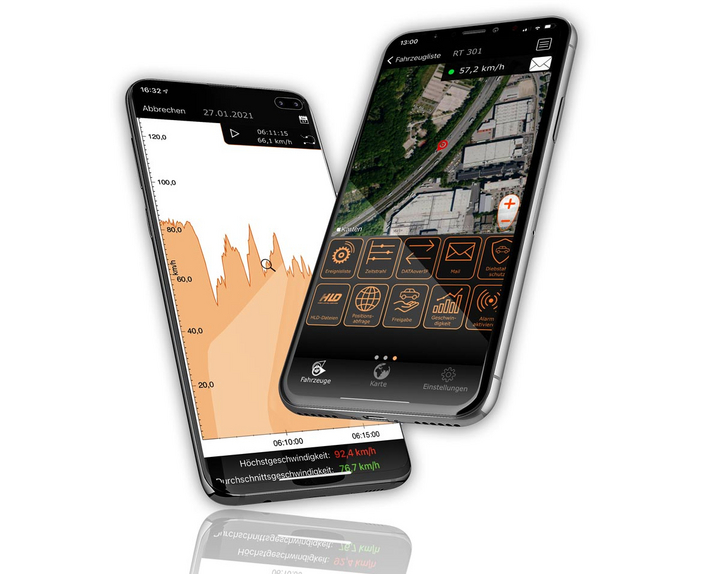

Everything at a glance—even on the go
Manage your fleet with GPS-Explorer Mobile: fleet management even when you're on the go.
Which vehicle in your fleet is closest to a destination address?
Where are my vehicles?
What is the current temperature in the cargo area?
Data Exchange

Whether it’s statistics of all kinds, logbooks, or automatic tracking of working hours: With GPSoverIP, a vehicle’s movements can be transmitted seamlessly, reliably, and tamper-proof—like no other system can.
GPSoverIP is the patented technology specifically developed for the transmission of telematics data (https://en.wikipedia.org/wiki/GPSoverIP). The packet sizes to be transmitted are only about one-tenth those of conventional methods—while offering greater stability, higher density, and enhanced security.
Data Transmission Every Second
Since data transmission with GPSoverIP occurs every second, this is referred to as true live positioning or live tracking. This allows GPSoverIP to be used in motorsports, among other applications, as this field in particular relies on fast transmission without data loss.
In addition to the GPS position, the GPSoverIP method also transmits all types of telemetry data, which provides information on, among other things, operational status, door movement, or fuel level.
Compatibility Thanks to an Open Interface
Live visualization and access to historical data can be achieved in any software that interfaces with GPSoverIP’s open API. The API documentation, including validated interfaces, is available to all developers. This makes it incredibly easy to integrate the data generated by GPSoverIP into existing software solutions, such as inventory management programs.
Filter & Search Videos
Filter aktiv
Produkte
Alle Filter aus/an
GPSauge TAB
GPSauge OBD
GPSauge MI6 PRO
GPSauge IN1 v.2
GPSauge TRAIN
Software
Alle Filter aus/an
Instandhaltung
FMS-Auswertung
Vorstellung
Überblick
Diebstahlschutz
Fahrtenbuch
Fahrspur-Analyse
Fahrspur-Editor
Spesenabrechnung
Remote-Download
clickApoint
HLD
Objektübersicht
Kartensteuerung
Zeitstrahl
Action-Chooser
Touraufzeichnung
Tourerstellung
Gruppenerstellung
Auftragsversand
Lenk- und Ruhezeiten
Geozonen
Joker-Funktion
Energieeffizienz
Montage
Alle Filter aus/an
Kabelsatz
Dacia
DAF
Fendt
EXTEC
Ford
Hako
Hitachi
Iveco
Liebherr
MAN
Mercedes
Renault
Scania
Setra
Volvo
VW
Vögele
Aufbauhersteller
Baumaschinen
Bus
Kran
Rennfahrzeuge
Schiffe
Sonderfahrzeuge
Taxi
Winterdienst
Branchen
Alle Filter aus/an
Schifffahrt
Recycling und Entsorgung
Rennsport
Spedition/Transportunternehmen
Schienenverkehr
Straßenmeistereien/Bauhöfe
OEM
Agrar- und Landwirtschaft
Autohäuser/Autovermieter
Bauwesen
Busunternehmen
Dienstleister
Handwerk
Holz- und Forstwirschaft
Kurier- und Expressdienste
Lebensmittelbranche
Taxibranche/Personentransport
Rettung/Feuerwehr/Polizei
Executive
Weiteres
Alle Filter aus/an
Terminierung
De-minimis
Kabel
Digitaler Tacho
Input Box
Kamera
Pengelwandler
Ibis
Scanner
Taxameter
Temperaturschreiber
Bluetooth LE
Diverses
ÖPNV
 < pPreise und Normen